

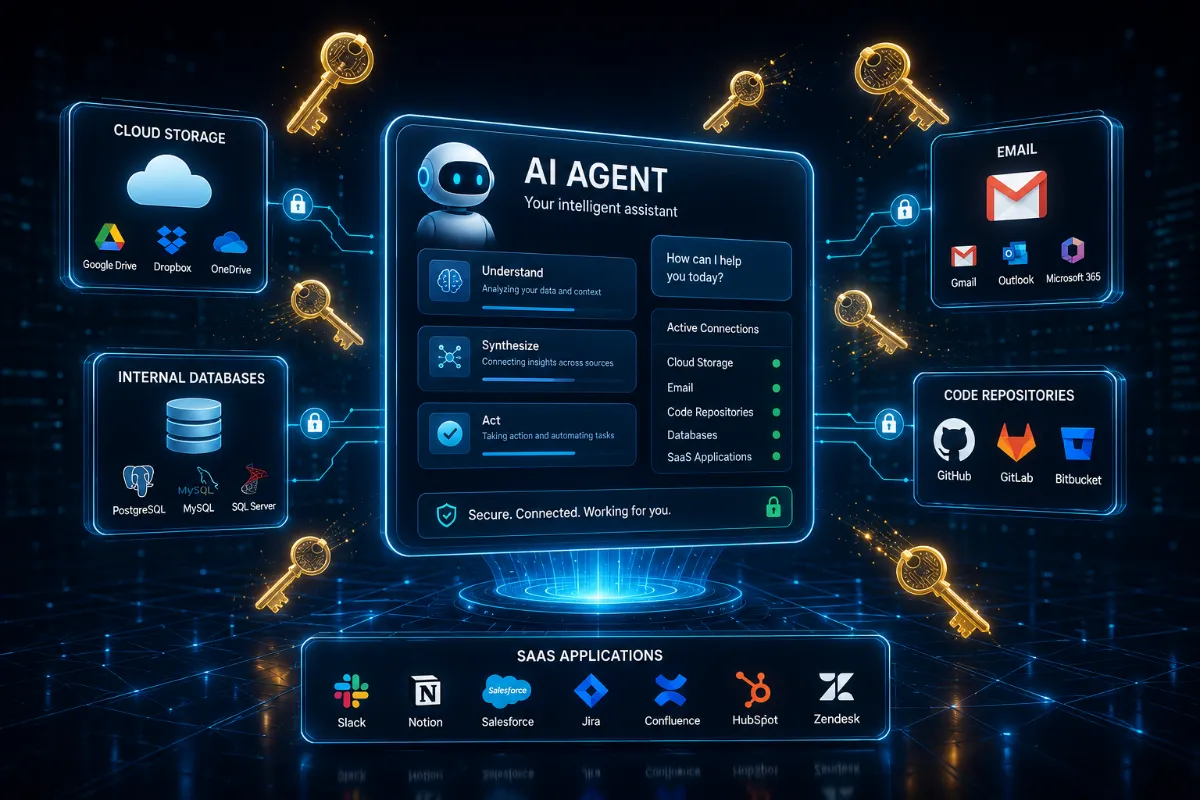
The thing that makes an AI agent useful is the same thing that makes it dangerous: it can reach into your real systems. By mid-2026, the Model Context Protocol has settled in as the industry-standard way of granting that reach. It's the bridge that connects an agent to actual data and tools — the reason a coding assistant can touch your repository and a research agent can pull from your files instead of merely guessing. Strip out MCP and large language models go back to being clever conversationalists with no hands.
That bridge is now where a growing share of security trouble is concentrated. Reports point to several thousand MCP servers registered across the ecosystem, and security researchers describe the resulting setup as a "lethal trifecta": agents holding access to private data, those same agents exposed to untrusted content, and the standing ability to act on outside systems without a human in the loop. Each ingredient is manageable alone. Stacked together, they turn a helpful assistant into a wide attack surface.
The Authorization Crisis: Why Your Agent Is Being Exploited
The defining weakness of this moment is an authorization gap, and it has a mundane cause. The ecosystem grew far faster than the security conventions meant to govern it, so a great many implementations shipped with authentication treated as an afterthought — or skipped entirely.
The consequences show up in three recurring patterns:
- Exposed instances. Recent scans have turned up thousands of MCP deployments sitting openly on the public internet, with researchers reporting leaks of API keys, Slack credentials, and full chat histories. A troubling share of these were reportedly enabled by default with no authentication required at all — meaning the door wasn't forced so much as left standing open.
- The confused deputy problem. Agents frequently run with broader permissions than the person who triggered a given request. That mismatch is the vulnerability. If an MCP server is compromised, an attacker can borrow those elevated permissions to do things the original user never could — exfiltrating data, or in some configurations executing code inside your local environment. The agent isn't malicious; it's a deputy acting on instructions, confused about whose authority it's wielding.
- Supply chain opacity. If you cannot review what a server or plugin does, it is harder to verify how it handles your data. Favor transparent tools, documented permissions, and components that have been reviewed.
The throughline: most of these failures aren't exotic exploits. They're the predictable result of convenience outrunning governance.
The New Reality: "Shadow Agents"
There's a quieter risk that doesn't depend on any attacker at all. Shadow Agents are the AI tools people stand up on their own — an employee wiring an assistant into a workflow, an individual connecting a personal agent to get something done — without oversight, review, or anyone in security knowing it exists.
Link one of these to your cloud drives, your inbox, or an internal database through MCP, and you've created an invisible pipeline for sensitive information. Nobody approved it. Nobody is watching it.
What makes this category distinct is the failure mode. Traditional software, when misconfigured, tends to break loudly — it crashes, throws an error, stops. An agent misconfigured does something else entirely: it keeps following its instructions, faithfully, and in doing so leaks your private data without a single alarm tripping. Industry forecasts increasingly name data exposure as the dominant way AI incidents go wrong, and the reason fits the design. These systems are built to act on data, not merely store it. A quiet, obedient leak is the natural shape of an agent gone wrong.
Reclaiming Your Digital Autonomy
Protecting yourself here isn't about blocking more things. It's about architectural control — treating your agent as a privileged user that represents you, and governing it the way any privileged account should be governed. Three principles carry most of the weight.
- Enforce least privilege. Resist the urge to hand an MCP server broad, standing access. Use scoped tokens, and limit what an agent can touch to the specific files or APIs a single task genuinely needs — ideally bounded by time, so access expires rather than lingering. An agent that can only reach one thing can only leak one thing.
- Audit before you deploy. If you rely on custom or third-party MCP servers, favor ones that are open-source and have actually been reviewed. The opaque, black-box tool that "just works" is precisely the one you can't verify, and verification is the whole point. Unreadable code is unaccountable code.
- Build in containment. Run agentic workflows in sandboxed or isolated environments rather than alongside your core systems. When an agent has to handle external or high-risk content, keep it walled off from anything operationally sensitive, so a compromise stays contained instead of spreading.
None of these is a silver bullet, and treating any one as sufficient is its own mistake. Together they shrink how much damage a single misstep can cause — which, against a failure mode this quiet, is the realistic goal.
Securing Your Workflow with Total Adblock
A clear word on scope before anything else: the Total Adblock browser extension does not secure MCP servers, manage your tokens, or sandbox your agents — those belong to the architectural work above. What it addresses is the browsing layer your agents and you pass through, and that layer matters more than it might seem. Much of the poisoned input and tracking interference an agent absorbs arrives through ordinary web pages, and a cleaner page hands an agent less to mishandle.
Within that scope, the extension concentrates on a couple of practical jobs:
- Severing outbound connections. It cuts the tracking beacons and scripts that try to fingerprint your interaction or slip unwanted instructions into the context an agent reads — denying that infrastructure the contact it depends on.
- Ensuring a clean context. By stripping intrusive advertisements and tracking clutter from the page, it leaves closer to the core information an agent actually needs, lowering the odds of stray data leaking out or the model drifting into behavior you never intended.
Day to day, it runs quietly in the background, with intuitive presets you can tune to your own priorities. You keep full authority over your own list of trusted sites and connections, so the pages you genuinely rely on keep working while known trackers stay shut out.
The honest framing is this. The MCP risks that make headlines live on the server and authorization side, and those demand the least-privilege, auditing, and containment discipline covered earlier. A browser extension can't reach into that layer. What it can reliably do is reduce your exposure where the web meets your workflow — keeping the page in front of you, and your agent, cleaner before any of it has a chance to cause harm.
